
Insert Images & Text
- IMAGES: Find two images of your Solar System object. You will need to save the image to the computer to the "Student Work" folder, or your own student folder if you know how to access it. Click on "Edit Content" and then in the new menu click "+ Insert". Double click on an image to change its size (make sure the lock is "closed" beside the image size numbers, otherwise your image will look funny).
-
TEXT: Type some text. Include different font types and sizes. While in "Edit Content" mode, type in some text about your object including:
- Name
- Mass
- At least 2 other facts
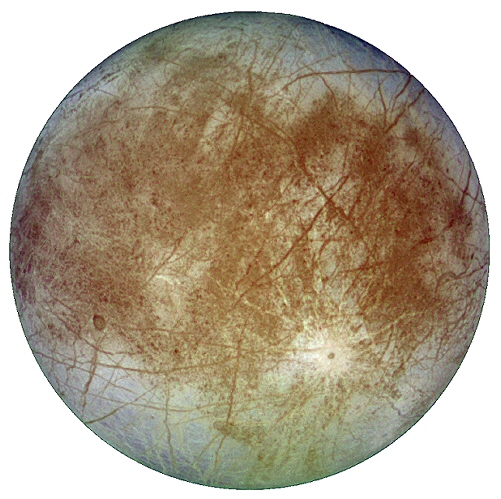
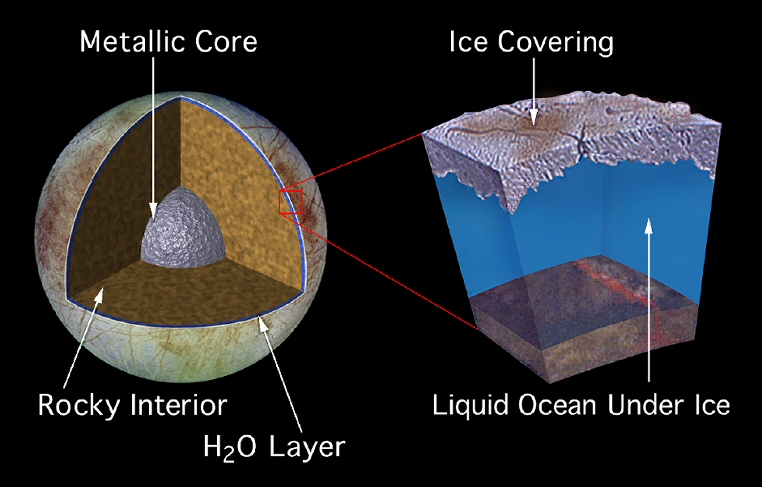
| Name: | Europa |
| Mass: | 4.8 x 10²² |
| Surface Composition: | ice water |
| Exobiology: | candidate for alien lifeforms! |
Insert a Video
Use the "Widgets" drop-down in the menu above to add a video. You will need to find a video first about your Solar System object.